



TABLE OF CONTENTS
NVIDIA H100 SXM On-Demand
If you’re trying to speed up your AI and 3D workflows, here’s the key point upfront: choosing the right GPU matters far more than simply having one that “works.” High-performance options like the NVIDIA RTX Pro 6000 SE are built to keep up with heavy renders, complex models and rapidly growing datasets, something standard workstations often struggle with.
Slow fine-tuning, sluggish renders and memory limitations can stall your entire production pipeline. Upgrading to a GPU designed for high-end AI and 3D workloads eliminates these bottlenecks, giving you the performance headroom you need to build, iterate and scale without compromise.
Let’s explore how the NVIDIA RTX Pro 6000 SE enhances real-world AI and 3D projects.
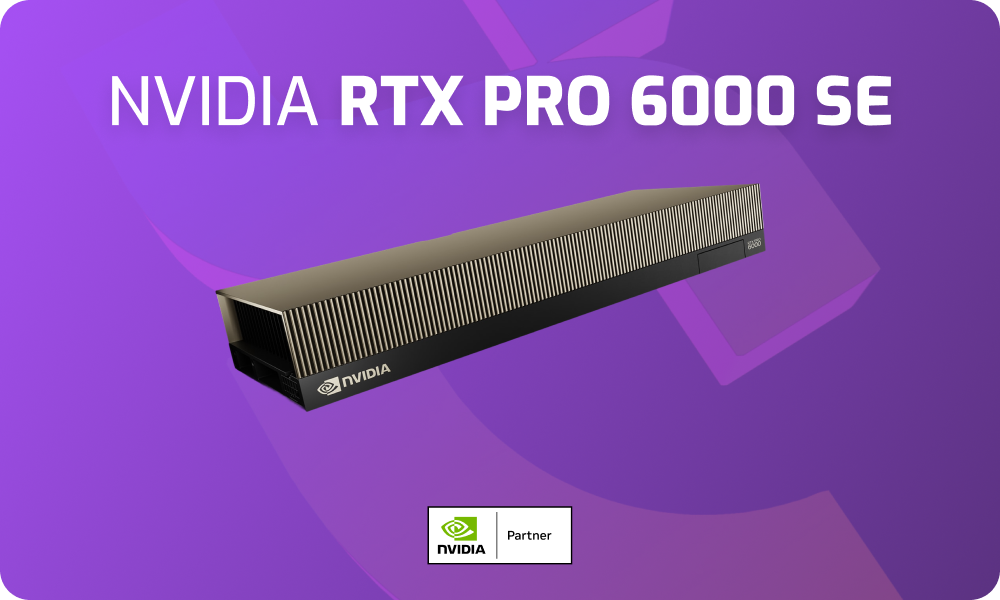
1. Cut AI Training Times and Get Results Faster
If you’ve ever trained or fine‑tuned a large AI model, you know how demanding it can be. Long training cycles, memory limits and constant slowdowns can make even routine experiments feel like marathons. With 4000 TOPS of AI performance, the RTX Pro 6000 provides the compute power needed to reduce wait times. So, you’re no longer stuck waiting on hardware, you can spend that time refining, experimenting and innovating like:
- Test more ideas quickly instead of waiting hours, you can iterate on LLMs in less time.
- Speed up creative workflows like real-time rendering and precision-driven
- simulations.
- Rely less on external compute, keeping your development loop tighter and faster.
2. Stop Hitting Memory with Large Models and Datasets
When you’re building realistic 3D models or running AI datasets that push into the terabytes, memory is often the first bottleneck you hit. Running out of GPU memory can crash a workflow or force you into splitting datasets in ways that complicate your pipeline. The NVIDIA RTX Pro 6000 SE provides massive 96 GB of GDDR7 VRAM with 1.8 TB/s bandwidth to handle demanding projects without constant compromises. Means you can:
- Keep large AI datasets in memory, avoiding time‑consuming I/O bottlenecks.
- Render complex 3D assets without downgrading textures or detail.
- Work smoothly in VR and simulation environments, even with heavy geometry and physics.
3. See Photoreal Results While You Work
If you’ve worked with ray tracing before, you know how much time is wasted waiting for renders. Often, you have to choose between speed and realism. With 4th-gen Ray Tracing Cores and the RTX Mega Geometry Engine, the NVIDIA RTX Pro 6000 SE doubles ray-triangle throughput and scales up to 100× more ray-traced geometry. This means you can:
- Preview complex designs interactively instead of waiting hours for test renders.
- Build immersive VR and simulation environments at full fidelity without cutting down performance.
- Accelerate production-quality rendering, moving from concept to final output with fewer delays.
4. Train Smarter, Not Just Faster
Precision matters when training AI models but so does efficiency. The NVIDIA RTX Pro 6000 SE offers 5th Gen Tensor Cores that deliver up to 3× the performance of the previous generation. With support for FP4 precision, you get faster AI model processing times with reduced memory usage. Means you get to:
- Run more experiments in less time, fine-tuning models locally without long delays.
- Handle larger models within the same memory footprint, giving you freedom to push complexity.
- Execute LLM and generative AI workflows at the workstation level.
5. Scale Projects Without Bottlenecks
As your AI or 3D workflows grow, a single GPU often is not enough. But scaling to multiple GPUs can create new bottlenecks if the network lags. On Hyperstack, the NVIDIA RTX Pro 6000 SE can be deployed with up to 350 GB/s high-speed networking, making scaling seamless. So you can:
- Expand across GPUs easily, keeping distributed workloads running smoothly.
- Maintain performance consistency, even in large‑scale AI training environments.
- Collaborate on heavy 3D projects in real time, without file‑sharing slowdowns.
Final Thoughts
From handling massive datasets to cutting render times and accelerating AI training, the NVIDIA RTX Pro 6000 SE changes workflows that once felt restrictive into scalable processes. If your current setup is holding you back, you can consider opting opting NVIDIA RTX Pro 6000 SE for your workflows.
NVIDIA RTX Pro 6000 SE on Hyperstack
Get instant access to NVIDIA RTX Pro 6000 SE performance. Tap into enterprise-grade GPU power whenever you need it, ideal for short-term projects, workload testing or scaling up fast. Deploy today for just $1.80/hr.

FAQs
What makes the NVIDIA RTX Pro 6000 SE ideal for AI workflows?
NVIDIA RTX Pro 6000 SE offers 4000 TOPS, 96 GB VRAM and 5th Gen Tensor Cores accelerate training, fine-tuning and generative AI workloads.
How does the NVIDIA RTX Pro 6000 SE improve 3D rendering performance?
With 4th-gen Ray Tracing Cores and RTX Mega Geometry Engine, it enables photoreal results interactively, cutting rendering wait times.
Can NVIDIA RTX Pro 6000 SE handle large datasets without memory bottlenecks?
Yes. Its 96 GB GDDR7 VRAM and 1.8 TB/s bandwidth keep massive datasets in memory without workflow crashes.
What is the cost of NVIDIA RTX Pro 6000 SE on Hyperstack?
You can access the NVIDIA RTX Pro 6000 SE for just $1.80/hr on Hyperstack.
Why should I reserve the NVIDIA RTX Pro 6000 SE on Hyperstack?
Reserving ensures stable pricing, guaranteed availability, real-time usage tracking and uninterrupted AI or 3D workflows when demand spikes.
How much does reserving the NVIDIA RTX Pro 6000 SE on Hyperstack cost?
Reservation pricing starts at $1.26/hour, letting you plan budgets confidently while ensuring long-term GPU availability for critical projects.
Subscribe to Hyperstack!
Enter your email to get updates to your inbox every week



