



TABLE OF CONTENTS
NVIDIA H100 SXM On-Demand
Key Takeaways
-
The article explains how to deploy Open WebUI on Hyperstack using a GPU-powered virtual machine.
-
Docker and Docker Compose are used to streamline the Open WebUI installation process on Hyperstack.
-
Proper NVIDIA GPU drivers and CUDA support are required before deploying Open WebUI.
-
Environment variables are configured to connect Open WebUI with LLM backends and define access settings.
-
Once deployed, Open WebUI is accessible through the Hyperstack VM’s public IP address.
-
The setup allows Open WebUI to interface with local or remote large language models running on Hyperstack infrastructure.
If you are looking for a simple way to run a ChatGPT-like interface on your own infrastructure without giving up performance or control, OpenWebUI is built for exactly that. OpenWebUI is an open-source, self-hosted AI web interface that lets you interact with LLMs using Ollama or OpenAI-compatible APIs, all while keeping your data private. When paired with GPU-powered cloud infrastructure, it delivers fast, responsive inference suitable for real development and production workloads.
This setup guide shows you how to deploy Open WebUI on Hyperstack so you can quickly get started using GPU-powered cloud infrastructure. Follow the guide below to launch a working setup in just a few minutes.
What is OpenWebUI?
Open WebUI is an open-source, feature-rich, and user-friendly self-hosted AI interface designed to run entirely offline. Built on universal standards, it supports Ollama and OpenAI-compatible APIs, making it easy to connect local or remote LLM backends. It provides a ChatGPT-like web experience while giving you full control over models, data and infrastructure.
Running Open WebUI on Hyperstack lets you:
-
Use high-end on-demand GPUs like NVIDIA A100, NVIDIA H100 and more
-
Deploy on pre-configured environments with one click
-
Scale resources as your usage grows
-
Pay only for the resources you use
What You’ll Need
Before you start, make sure you have:
-
A Hyperstack account. Follow our documentation to create your account.
-
Access to a GPU VM
-
Basic familiarity with the command line
-
An SSH client
Step 1: Launch a GPU VM on Hyperstack
1. Log in to the Hyperstack Console.
2. Create a new Virtual Machine with:
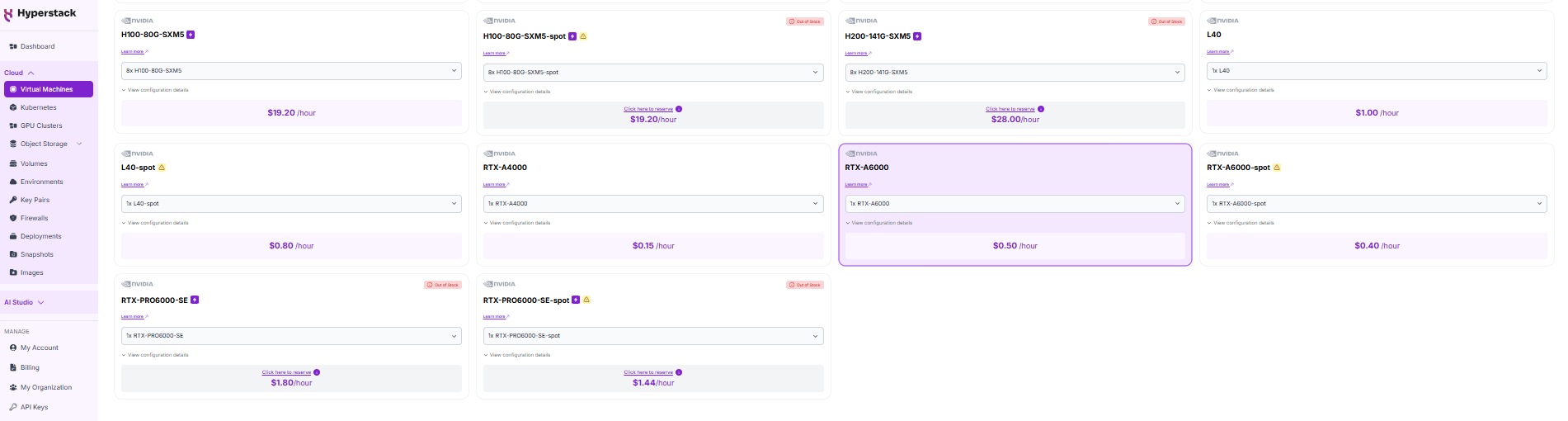
- GPU flavour: 1 × NVIDIA RTX A6000 (balanced performance) or NVIDIA H100 PCIe (high performance)
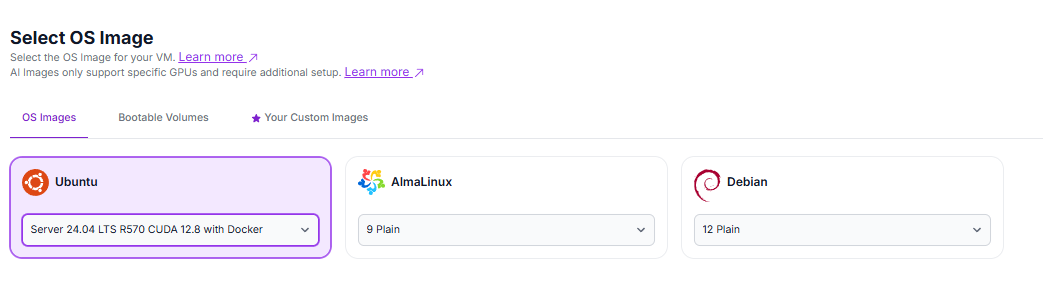
- OS image: Latest Ubuntu with CUDA and Docker pre-installed. Select the "Ubuntu Server 24.04 LTS R570 CUDA 12.8 with Docker".
3. Launch the VM. Hyperstack will automatically select the region.
Once the VM is running, connect via SSH and note the public IP address.
Step 2: Deploy Open WebUI
Hyperstack’s Ubuntu images come with Docker, so no additional installation is needed. Now, run the following commands to deploy OpenWebUI connected to Ollama:
# 1) Create a Docker network
docker network create ollama-net

# 2) Start Ollama container
sudo docker run -d --gpus=all --network ollama-net \
  -p 11434:11434 \
  -v /home/ubuntu/ollama:/root/.ollama \
  --name ollama \
  --restart always \
  ollama/ollama:latest

# 3) Pull a model (example: qwen3:4b)
sudo docker exec -it ollama ollama pull qwen3:4b

# 4) Start Open WebUI container (connects to Ollama API)
sudo docker run -d --network ollama-net \
  -p 3000:8080 \
  -v open-webui:/app/backend/data \
  --name open-webui \
  --restart always \
  -e OLLAMA_BASE_URL=http://ollama:11434
Step 3: Access the Web Interface
1. Open your VM’s firewall settings:
2. Allow port 3000 for your IP address (or all IPs if testing, but less secure). For instructions, see here.
3. Open your browser and go to: http://[your-public-ip]:3000
For example: http://198.145.126.7:3000
4. Set up an admin account for Open WebUI and save your credentials.
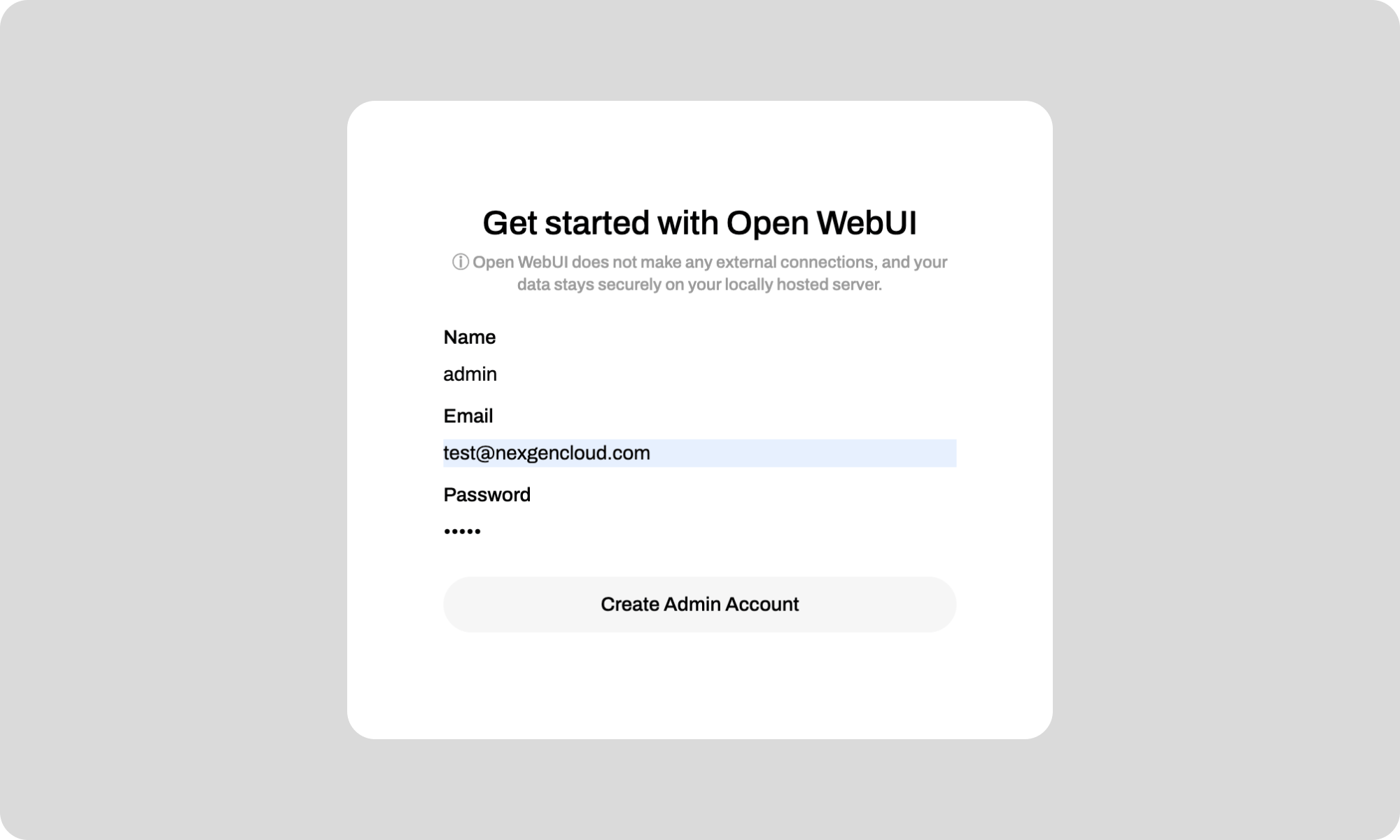
Once done, you can:
- Create users
- Connect models
- Start chatting with your AI setup
Step 4: Interact with Open WebUI
Depending on your setup, you can connect Open WebUI to:
-
A local model running on the same GPU
-
A model server inside your Hyperstack environment
-
An external inference endpoint
OpenWebUI will route prompts directly to your chosen model backend.
Common Issues and Quick Fixes
Here are quick fixes and tips to use if you encounter any issues with deploying Open WebUI:
WebUI not loading?
-
Confirm port 3000 is open in firewall settings
Slow responses?
- Check GPU availability: nvidia-smi
- Monitor GPU memory usage
Conclusion
Deploying Open WebUI on Hyperstack gives you a fast, flexible way to run a self-hosted AI chat interface on powerful GPU infrastructure. With just a few steps, you can go from instance launch to a fully working AI UI, ready to experiment, build and scale.
Get Started on Hyperstack
Spin up a GPU VM and deploy Open WebUI in minutes.
Run on Hyperstack →
FAQs
Is Open WebUI free to use?
Yes. Open WebUI is open-source and free to use. You only pay for the infrastructure (such as GPU VMs) that you run it on.
Is Open WebUI easy to install?
Yes. With Docker, Open WebUI can be deployed in minutes. The container-based setup makes it simple to reproduce, upgrade or tear down environments.
What is Open WebUI used for?
Open WebUI is commonly used for:
-
Running local LLMs with a ChatGPT-like interface
-
Building internal AI tools and demos
-
Testing and comparing models
-
Creating private, offline AI chat systems
Can I use Open WebUI with external APIs?
Yes. Open WebUI supports OpenAI-compatible APIs, allowing you to connect external inference endpoints alongside local models.
Why should I deploy Open WebUI on Hyperstack?
Deploying Open WebUI on Hyperstack GPU infrastructure allows you to combine a powerful UI with high-performance compute:
Subscribe to Hyperstack!
Enter your email to get updates to your inbox every week



