



TABLE OF CONTENTS
NVIDIA H100 GPUs On-Demand
In our latest tutorial, we explore how to deploy and use Qwen3-30B-A3B on Hyperstack. From setting up your environment to running tasks, we guide you through each step to help you get started with Alibaba's latest model.
What is Qwen3-30B-A3B?
Qwen3-30B-A3B is a 30-billion parameter Mixture-of-Experts (MoE) model from the Qwen3 series, designed for high-performance reasoning, instruction-following, and multilingual tasks. With its A3B architecture, it enables efficient expert routing, seamless mode-switching between reasoning and dialogue and excels in complex agent-based interactions across 100+ languages.
Features of Qwen3-30B-A3B
The features of Alibaba's latest model Qwen3-30B-A3B include:
- 30B parameter Mixture-of-Experts (MoE) architecture
- Supports both thinking and non-thinking modes
- Superior reasoning in math, coding and logic
- High performance in instruction following and multi-turn dialogue
- Agent capabilities with external tool integration
- Multilingual support for 100+ languages and dialects
- Efficient expert routing for optimal performance
- Fine-tuned for creative writing and roleplay
- Open-source and competitive with top-tier models in agent-based tasks
Steps to Deploy Qwen3-30B-A3B on Hyperstack
Now, let's walk through the step-by-step process of deploying Qwen3-30B-A3B on Hyperstack.
Step 1: Accessing Hyperstack
- Go to the Hyperstack website and log in to your account.
- If you're new to Hyperstack, you'll need to create an account and set up your billing information. Check our documentation to get started with Hyperstack.
- Once logged in, you'll be greeted by the Hyperstack dashboard, which provides an overview of your resources and deployments.
Step 2: Deploying a New Virtual Machine
Initiate Deployment
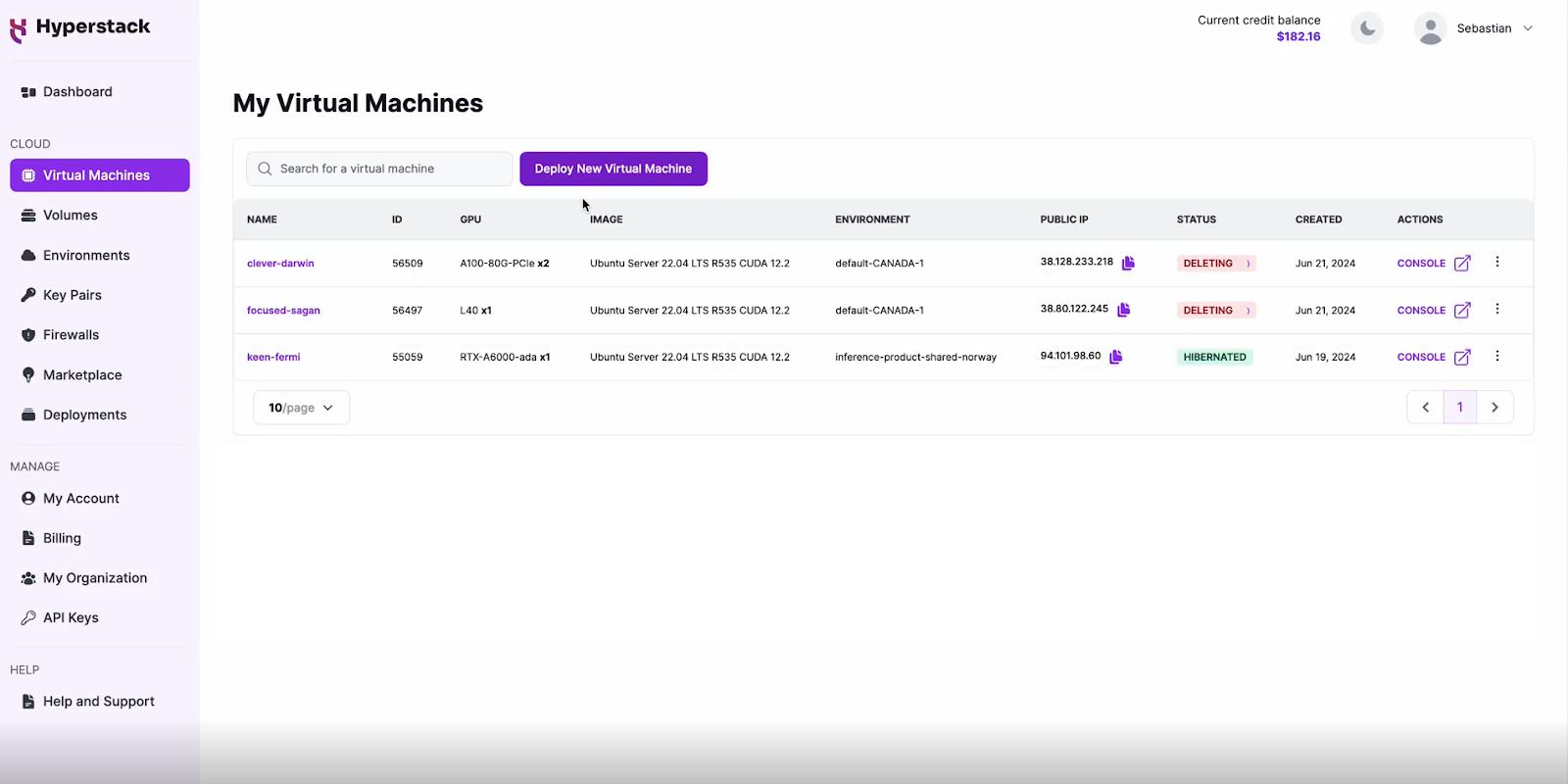
- Look for the "Deploy New Virtual Machine" button on the dashboard.
- Click it to start the deployment process.
Select Hardware Configuration
- In the hardware options, choose the "1×NVIDIA A100" flavour.
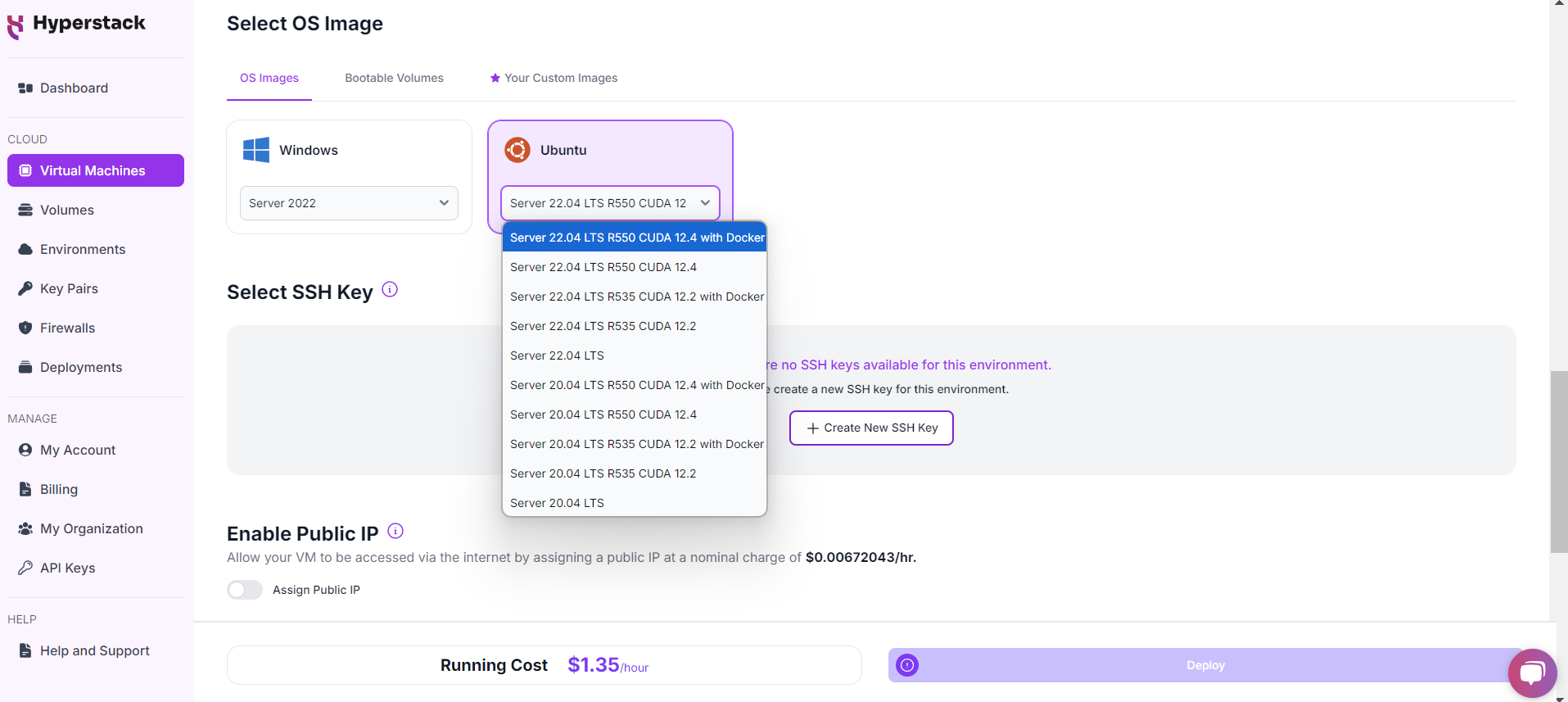
Choose the Operating System
- Select the "Ubuntu Server 22.04 LTS R550 CUDA 12.4 with Docker".
Select a keypair
- Select one of the keypairs in your account. Don't have a keypair yet? See our Getting Started tutorial for creating one.
Network Configuration
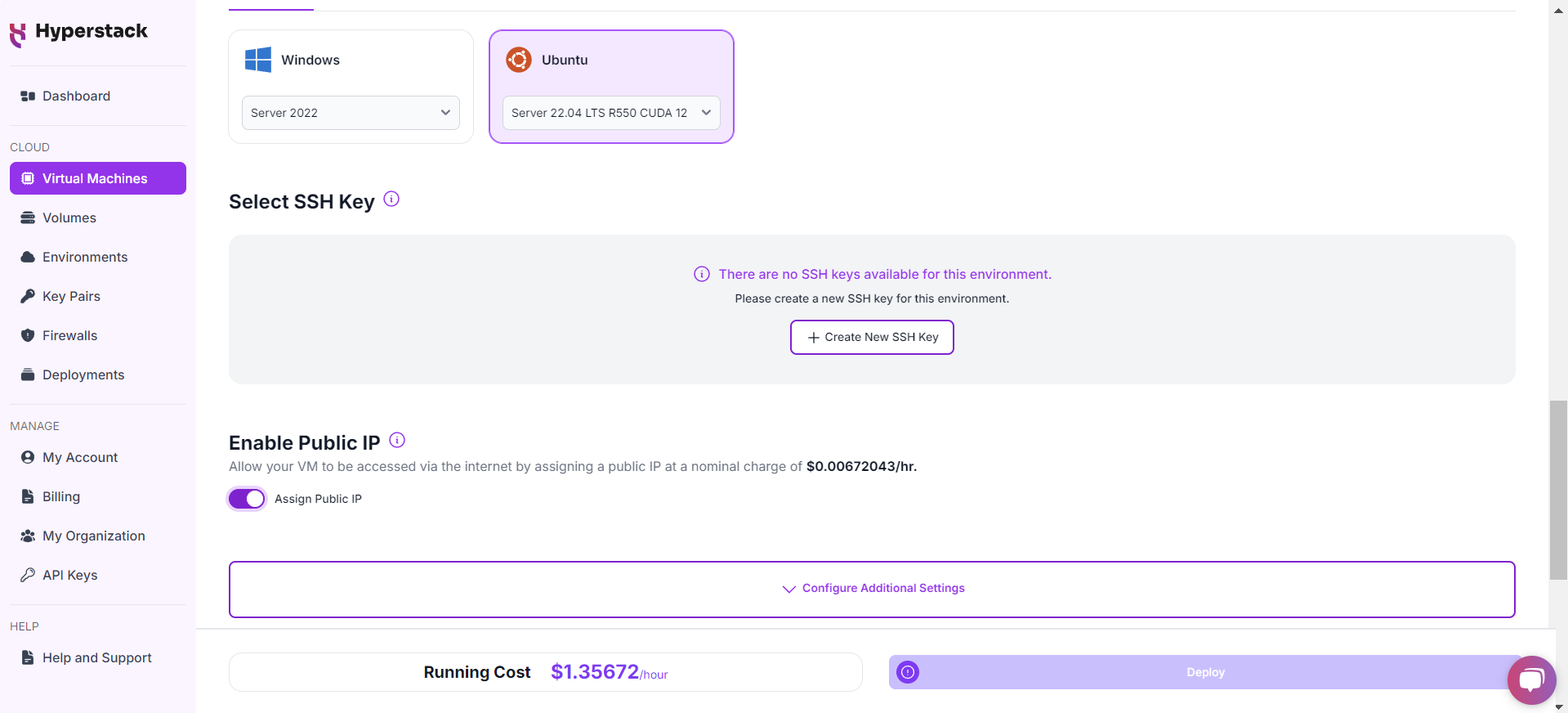
- Ensure you assign a Public IP to your Virtual machine.
- This allows you to access your VM from the internet, which is crucial for remote management and API access.
Enable SSH Access
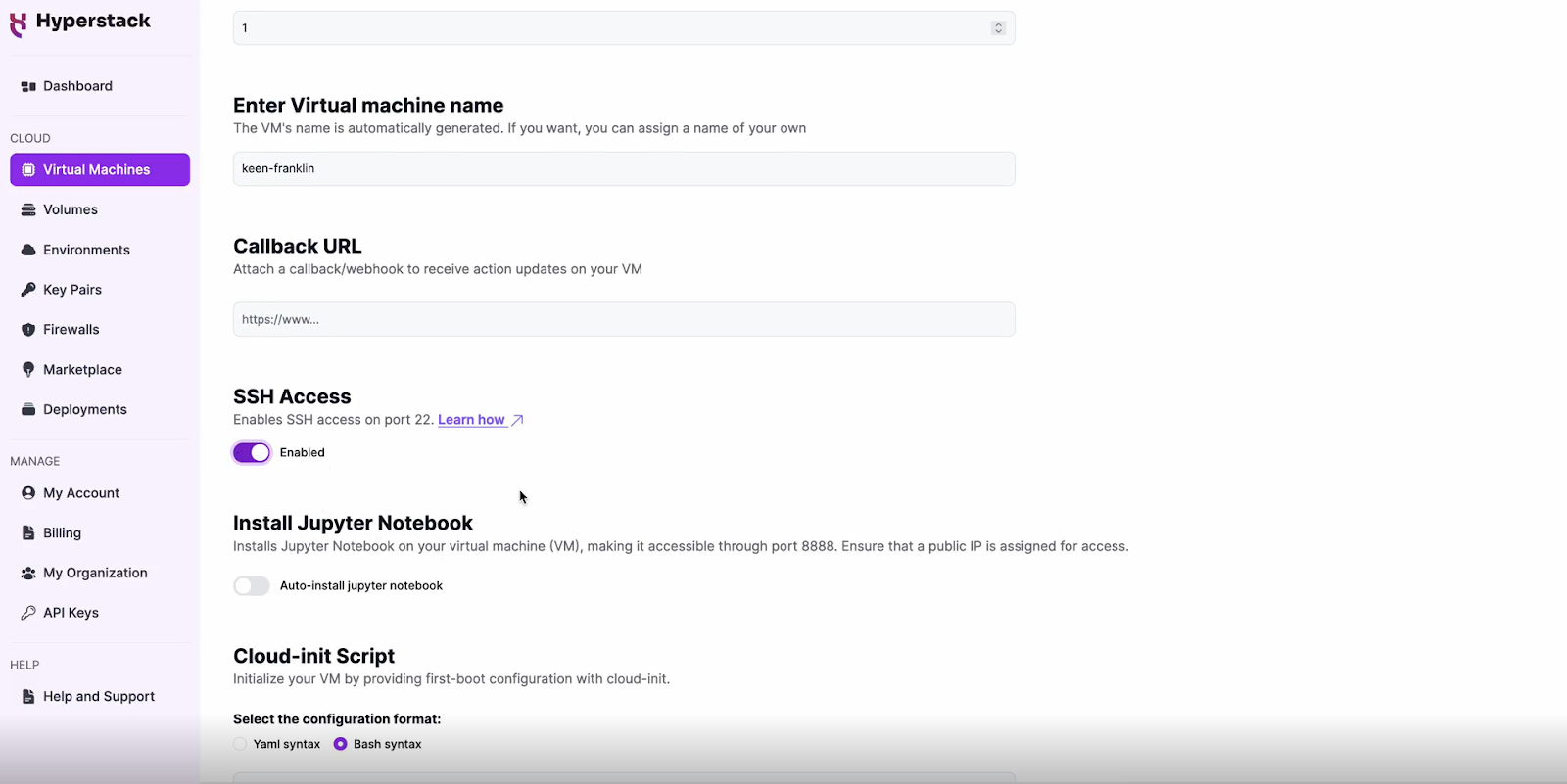
- Make sure to enable an SSH connection.
- You'll need this to connect and manage your VM securely.
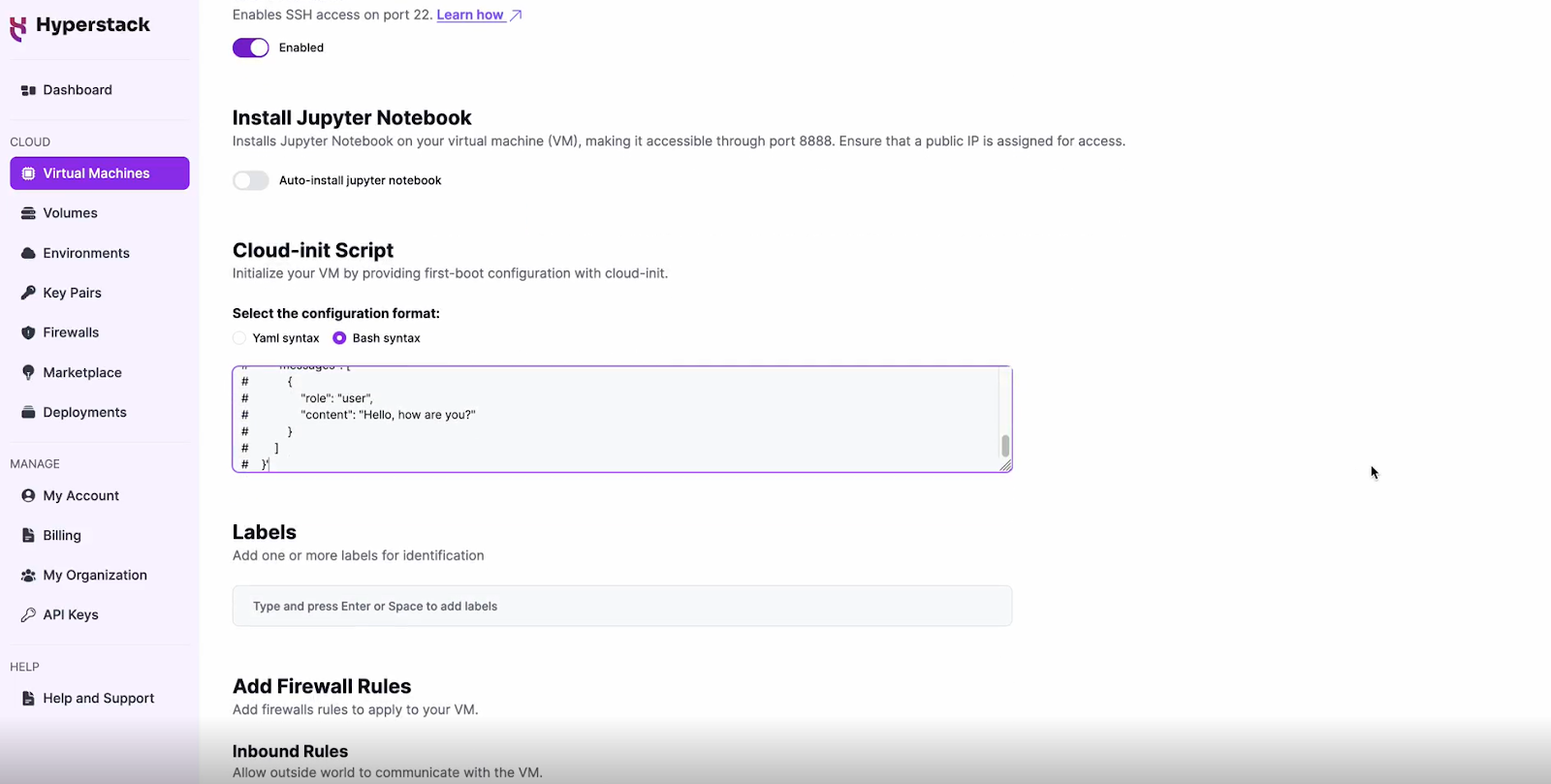
Configure Additional Settings
- Look for an "Additional Settings" or "Advanced Options" section.
- Here, you'll find a field for cloud-init scripts. This is where you'll paste the initialisation script. Click here to get the cloud-init script!
Please note: this cloud-init script will only enable the API once for demo-ing purposes. For production environments, consider using containerization (e.g. Docker), secure connections, secret management, and monitoring for your API.
Review and Deploy
- Double-check all your settings.
- Click the "Deploy" button to launch your virtual machine.
Step 3: Initialisation and Setup
After deploying your VM, the cloud-init script will begin its work. This process typically takes about 5-10 minutes. During this time, the script performs several crucial tasks:
- Dependencies Installation: Installs all necessary libraries and tools required to run Qwen3-30B-A3B.
- Model Download: Fetches the Qwen3-30B-A3B model files from the specified repository.
While waiting, you can prepare your local environment for SSH access and familiarise yourself with the Hyperstack dashboard.
Step 4: Accessing Your VM
Once the initialisation is complete, you can access your VM:
Locate SSH Details
- In the Hyperstack dashboard, find your VM's details.
- Look for the public IP address, which you will need to connect to your VM with SSH.
Connect via SSH
- Open a terminal on your local machine.
- Use the command ssh -i [path_to_ssh_key] [os_username]@[vm_ip_address] (e.g: ssh -i /users/username/downloads/keypair_hyperstack ubuntu@0.0.0.0.0)
- Replace username and ip_address with the details provided by Hyperstack.
Interacting with Qwen3-30B-A3B
To access and experiment with Qwen3-30B-A3B, SSH into your machine after completing the setup. If you are having trouble connecting with SSH, watch our recent platform tour video (at 4:08) for a demo. Once connected, use this API call on your machine to start using the Qwen3-30B-A3B:
MODEL_NAME="Qwen/Qwen3-30B-A3B"
curl -X POST http://localhost:8000/v1/chat/completions \
    -H "Content-Type: application/json" \
    -d '{
        "model": "'$MODEL_NAME'",
        "messages": [
            {
                "role": "user",
                "content": "Hi, how to write a Python function that prints \"Hyperstack is the greatest GPU Cloud platform\""
            }
        ]
    }
Troubleshooting Qwen3-30B-A3B
If you are having any issues, please follow the instructions:
-
SSH into your VM.
-
Check the cloud-init logs with the following command: cat /var/log/cloud-init-output.log
- Use the logs to debug any issues.
Step 5: Hibernating Your VM
When you're finished with your current workload, you can hibernate your VM to avoid incurring unnecessary costs:
- In the Hyperstack dashboard, locate your Virtual machine.
- Look for a "Hibernate" option.
- Click to hibernate the VM, which will stop billing for compute resources while preserving your setup.
Why Deploy Qwen3-30B-A3B on Hyperstack?
Hyperstack is a cloud platform designed to accelerate AI and machine learning workloads. Here's why it's an excellent choice for deploying Qwen3-30B-A3B:
- Availability: Hyperstack provides access to the latest and most powerful GPUs such as the NVIDIA H100 on-demand, specifically designed to handle large language models.
- Ease of Deployment: With pre-configured environments and one-click deployments, setting up complex AI models becomes significantly simpler on our platform.
- Scalability: You can easily scale your resources up or down based on your computational needs.
- Cost-Effectiveness: You pay only for the resources you use with our cost-effective cloud GPU pricing.
- Integration Capabilities: Hyperstack provides easy integration with popular AI frameworks and tools.
Related Blogs
-
Deploying Qwen 2.5 Coder 32B Instruct on Hyperstack — A Quick Guide
-
Deploying and Using Qwen25 VL 32B Instruct on Hyperstack — A Quick Gui
-
Deploying and Using Qwen2 72B on Hyperstack — A Quick Start Guide
-
Deploying and Using Qwen3 Next 80B A3B on Hyperstack — A Comprehensive Guide
New to Hyperstack? Log in to Get Started with Our Ultimate Cloud GPU Platform Today!

FAQs
What is Qwen3-30B-A3B?
Qwen3-30B-A3B is Alibaba's latest 30-billion-parameter Mixture-of-Experts (MoE) model from the Qwen3 series. It is designed for high-performance reasoning, instruction-following, and multilingual tasks.
Is Qwen3-30B-A3B good in reasoning?
Yes, the Qwen3-30B-A3B model offers superior reasoning in math, coding and logic.
Does Qwen3-30B-A3B support multilingual capabilities?
Yes, Qwen3 supports over 100 languages and dialects, making it ideal for multilingual instruction-following and translation use cases.
What tasks is Qwen3-30B-A3B best suited for?
Qwen3 excels at complex reasoning, coding, multilingual tasks, instruction-following, creative writing and integration with external tools for agent workflows.
Where can I access the Qwen3-30B-A3B model?
You can easily access the latest Qwen3-30B-A3B on Hugging Face.
Subscribe to Hyperstack!
Enter your email to get updates to your inbox every week



