


.png)
TABLE OF CONTENTS
NVIDIA H100 SXM GPUs On-Demand
Key Takeaways
- Tencent Hy3 is an open-weight (Apache 2.0) hybrid fast-and-slow-thinking model, a 295B-parameter Mixture-of-Experts design with roughly 21B parameters active per token and a native 256K-token context window.
- A single 8x NVIDIA H100 node cannot serve it. The BF16 weights measure 556.54 GiB against roughly 637 GiB of VRAM, so Hy3 needs two nodes and sixteen GPUs.
- Set tensor parallelism to the GPUs per node and pipeline parallelism to the node count, giving TP 8 x PP 2 and a world size of 16. The 160 all-reduces per forward pass stay inside a node; the pipeline handoff crosses the network once.
- The two launch commands differ only in
--node-rank,VLLM_HOST_IPand the head's role flags, which the follower replaces with--headless. Every other engine flag must match. - Two nodes cost $41.60/hr on demand. Our run reached a live endpoint 2 minutes and 18 seconds after the containers started and cost roughly $37 in total.
Tencent Hy3 is an open-weight, hybrid fast-and-slow-thinking model built on a sparse Mixture-of-Experts architecture with 295 billion total parameters, of which only 21 billion activate per token. It routes across 192 experts, carries a native 256K-token context window, ships its weights in BF16 under the Apache 2.0 licence, and scores 90.4 on GPQA Diamond and 72.0 on USAMO 2026. There is one catch that shapes everything about deploying it: the official vLLM recipe states plainly that a single 8x NVIDIA H100-80G node cannot fit it. The BF16 weights alone measure 557 GiB against roughly 637 GiB of VRAM on an 8-GPU NVIDIA H100 node, which leaves about 10 GiB per card to cover the KV cache, the activations and the communication buffers. Hy3 needs two nodes.
This guide walks through exactly that: standing up two 8x NVIDIA H100 virtual machines on Hyperstack, wiring them into a single 16-GPU inference cluster with vLLM, and serving the full BF16 Hy3 across both. Every log line, memory figure and timing below comes from a real run that reached a live endpoint 2 minutes and 18 seconds after the containers started, and cost roughly $37 before teardown. The Python examples are tidied-up equivalents of the scripts we ran against it.
Eighty transformer layers, a Mixture-of-Experts block in all but the first, and one extra layer on top that predicts the next token ahead of time.
head dimension 128 · QK-Norm · RoPE
for speculative decoding
Every figure here is read from config.json in the tencent/Hy3 repository.
What is Tencent Hy3?
Hy3 is Tencent's finished hybrid-reasoning model, announced on 6 July 2026. The naming needs care, because there are two separate models in two separate repositories. Hy3-preview was open-sourced on 23 April 2026 as an early checkpoint. Hy3 is the finished model, trained with strengthened reinforcement learning and improved data quality, and the gap between them is not cosmetic: on DeepSWE the preview scores 0.9 and the final model scores 28.0, and on USAMO 2026 the preview scores 37.3 against the final model's 72.0. This guide deploys tencent/Hy3, the final release.
Hy3-preview and Hy3 are separate models in separate repositories. Pulling the wrong one is the easiest mistake to make here.
What changed between them. The final model is not a polish pass. On the hardest tasks the gap is wide:
Scores out of 100. Source: Tencent Hy3 model card.
Here is how the architecture works:
- Sparse MoE Routing: 192 experts, of which a router picks 8 per token, alongside one shared expert that runs every time. Only ~21B of the 295B parameters are active on any forward pass, which is what makes a 295B model tractable to serve at all. The first of the 80 layers is a dense feed-forward rather than a MoE block.
- Grouped-Query Attention: 80 layers, hidden size 4096, 64 attention heads against 8 key-value heads with a head dimension of 128. That 8:1 query-to-key-value ratio is what keeps the KV cache small enough to leave room for real concurrency.
- Hybrid Fast and Slow Thinking: a single model serves both modes. Pass
reasoning_effort: "no_think"for direct answers, or"high"for an explicit chain of thought, controlled per request throughchat_template_kwargs. - Multi-Token Prediction Layer: a single 3.8B MTP layer sits on top of the 80 transformer layers for speculative decoding. The model card lists these separately, as "Total Parameters 295B", "MTP Layer Parameters 3.8B" and "Number of Layers (excluding MTP layer) 80", which is why parameter counts differ depending on who is counting. Add the MTP layer back and you get the ~298.8B that Hugging Face reports when it totals every tensor in the repository.
- Native Tool Calling: the
hy_v3parsers in vLLM decode Hy3's structured tool-call and reasoning tokens, so the model invokes tools through the standard OpenAI tools API with no external orchestration. - 256K Context: a native 256K-token window, with a vocabulary of 120,832 tokens.
Hy3 Benchmarks
Hy3 is level with the field on reasoning and long-context work, and well ahead of the open-weight models on competition mathematics: 72.0 on USAMO 2026 against 41.3 for GLM-5.2 and 59.2 for DeepSeek-V4-pro. On the two SWE-bench coding rows it sits behind the rest of this group. The chart below shows both results.
Six benchmarks, four models. Higher is better on every one.
Source: Tencent Hy3 model card. Some comparison figures are marked by Tencent as reproduced in their own testing; the rest are vendor-reported. The same numbers are in the table below.
| Benchmark | Hy3 | GLM-5.2 | DeepSeek-V4-pro | Claude Opus 4.8 |
|---|---|---|---|---|
| SWE-bench Verified | 78.0 | 84.2 | 80.6 | 88.6 |
| SWE-bench Multilingual | 75.8 | 83.0 | 76.2 | 84.4 |
| GPQA Diamond | 90.4 | 91.2 | 90.1 | 93.6 |
| HLE (with tools) | 53.2 | 54.7 | 48.2 | 57.9 |
| USAMO 2026 | 72.0 | 41.3 | 59.2 | 92.9 |
| AA-LCR | 73.4 | 73.4 | 71.3 | 72.2 |
Why Hy3 Needs Two Nodes
Read this before you provision anything, because it decides the shape of the deployment.
Start with the weights. BF16 stores two bytes per parameter, and Hy3's checkpoint holds 298.8B parameters once the MTP layer is counted, which works out at about 556.6 GiB. Our run measured 556.54 GiB across 99 safetensors shards, so the arithmetic and the disk agree.
Now count one node. An NVIDIA H100 "80GB" is a rounded label: nvidia-smi reports 81,559 MiB, which is 79.65 GiB, so eight of them come to about 637 GiB rather than a clean 640. Set the 556.54 GiB of weights against that and roughly 80 GiB of raw headroom is left for the whole node, before the engine takes its own share.
Our own run is the sanity check. Spread across two nodes, each GPU carried between 34 and 35 GiB of weights and still had room for a large KV cache. Squeeze the same model onto one node and the weights per card double to roughly 69 GiB, against 79.65 GiB of physical memory. What is left has to cover the KV cache, the activations, the CUDA context and the communication buffers on every card, and it does not stretch. Hy3 needs two nodes.
Tensor-parallel within a node, pipeline-parallel across nodes
Sixteen GPUs across two machines have to be split somewhere. Set tensor-parallel to the number of GPUs in each node, and pipeline-parallel to the number of nodes. Eight per node and two nodes give --tensor-parallel-size 8 --pipeline-parallel-size 2.
The reason is bandwidth. Tensor parallelism splits every layer across GPUs, so the pieces have to be put back together with an all-reduce twice per layer, once after attention and once after the expert block. Across Hy3's 80 layers that is 160 collectives on every forward pass. Inside a node, where the GPUs share a host, that is affordable. Pipeline parallelism instead hands each node half the layers and passes one activation tensor across the boundary per forward pass. One crossing rather than 160.
That distinction decides the topology, because on-demand nodes are joined by ordinary Ethernet rather than InfiniBand. We settled this before booking any NVIDIA H100 time, by rehearsing the mechanism on a cheap two-node NVIDIA L40 pair in the same region: no InfiniBand device was present, the private link measured 16.8 Gbit/s aggregate and about 4.2 Gbit/s on a single stream, and a cross-node NCCL all-reduce completed correctly over plain TCP sockets. Communication inside a node is orders of magnitude faster than any of those figures. So the 160 collectives stay in the node, and the single handoff goes on the wire.
The 16-GPU NVIDIA H100 topology
One model, two machines. The head runs the engine and the API, the follower runs workers only, and both nodes hold weights and KV cache.
PP stage 0 · first half of the layers · ~72 GiB per GPU
PP stage 1 · second half of the layers · ~75 GiB per GPU
TP = 8 x PP = 2 gives a world size of 16. Per-GPU memory figures are measured from our run.
How to Deploy Hy3 on Hyperstack
Now, let us walk through the step-by-step process of standing up the two-node cluster and serving Hy3 across it.
If you would rather orchestrate this with Kubernetes, we deployed the earlier Hy3-preview across the same 16-GPU footprint using managed Kubernetes and LeaderWorkerSet: Multi-Node Kubernetes Guide: Deploy Hy3-preview on Hyperstack. For the parallelism theory, see How to Run Distributed Inference with vLLM.
Step 1: Accessing Hyperstack
First, you will need an account on Hyperstack.
- Go to the Hyperstack website and log in.
- If you are new, create an account and set up your billing information. Our documentation can guide you through the initial setup.
Step 2: Deploying Two GPU Virtual Machines
From the Hyperstack dashboard we will launch two identical GPU VMs. The node count is not negotiable: Hy3 needs both of them to hold the model.
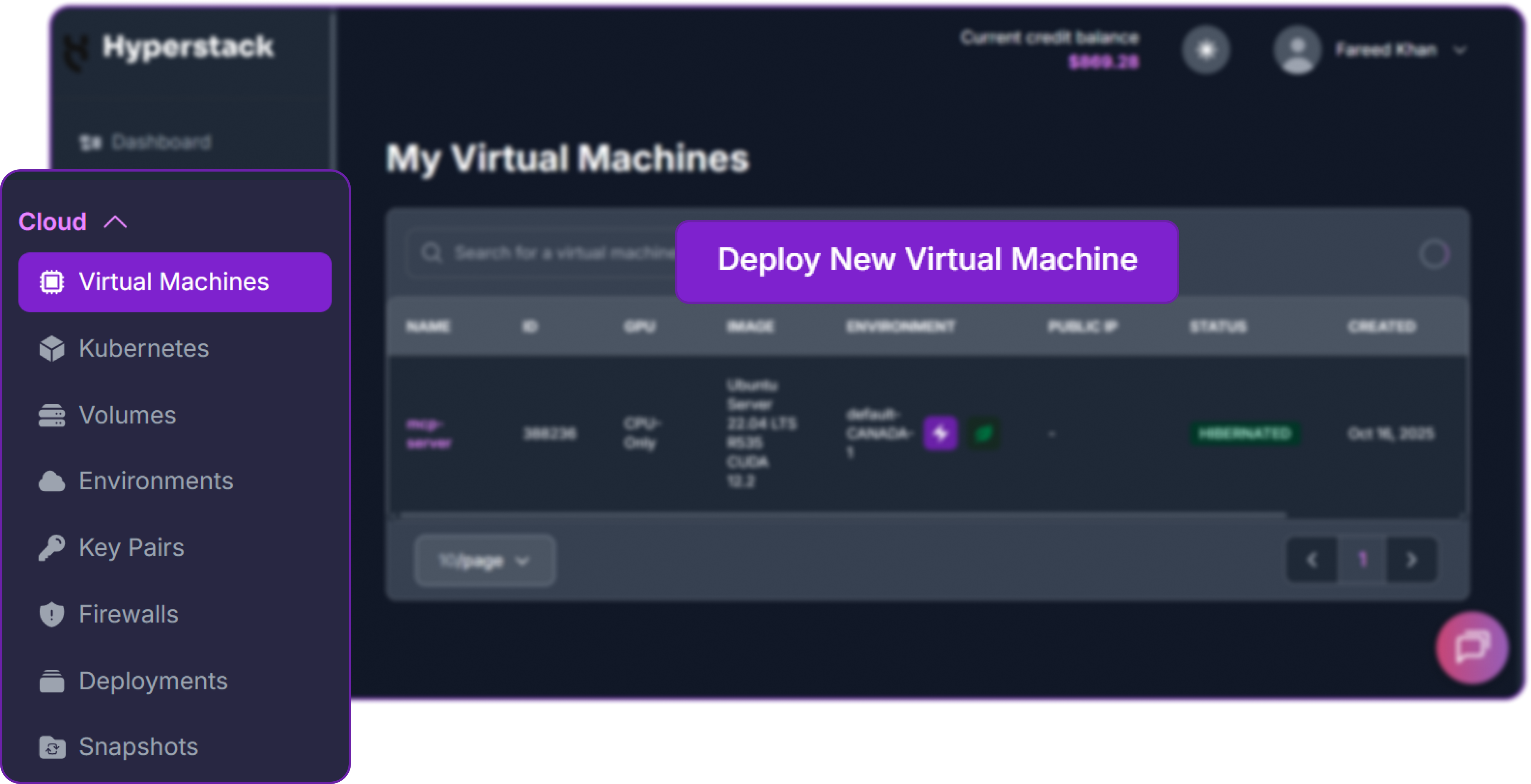
- Initiate Deployment: Look for the "Deploy New Virtual Machine" button on the dashboard and click it.
- Select Hardware Configuration: Choose the "8x NVIDIA H100-80G-PCIe-NVLink" flavour, listed in the flavour reference as
n3-H100x8-NVLink. At $2.60 per GPU per hour that is $20.80/hr per node, and two nodes bring the running cost to $41.60/hr. Take the NVLink variant rather than the plain PCIe one: per NVIDIA's H100 PCIe product brief it bridges each card to a single adjacent card at 600 GB/s, which lifts the fastest hops inside the node well above what the PCIe host bridge alone would give you.

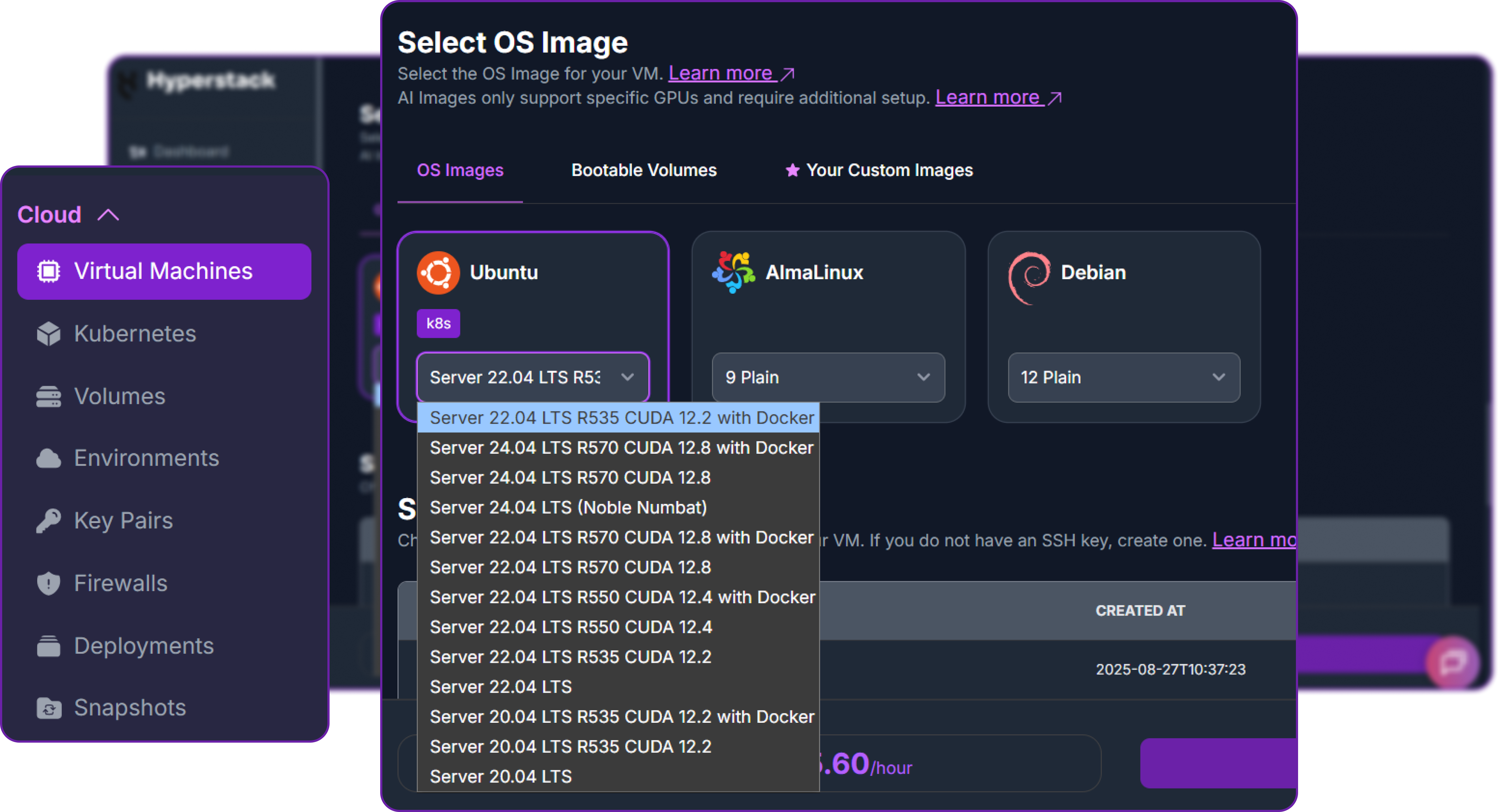
- Choose the Operating System: Select the "Ubuntu Server 24.04 LTS R570 CUDA 12.8 with Docker" image. The driver line matters, because it has to match what the vLLM container expects. This image also ships Docker and the NVIDIA runtime ready to use.
- Environment: Choose an environment carrying NVIDIA H100 NVLink stock. Our run used
CANADA-1. Both nodes must land in the same environment, because that is what puts them on a shared private network, and the entire multi-node deployment depends on it. - Select a Keypair: Choose an existing SSH keypair from your account. Use the same keypair for both nodes.
- Network Configuration: Ensure you assign a Public IP to each VM so you can reach them over SSH.
- Review and Deploy: Double-check the settings and click "Deploy". Then repeat the whole step to create the second node with identical settings. Our two nodes went from create to
ACTIVEin roughly three and a half minutes.
Step 3: Configure the Firewall
The two nodes need to talk to each other freely on the private network, and you need to reach the API from your own machine. Add these firewall rules to your VMs:
| Port | Source | Why |
|---|---|---|
| 22 | your public IP /32 | SSH access to both nodes |
| 8000 | your public IP /32 | The vLLM API, on the head node only |
| 1 to 65535 TCP | the other node's private IP /32 | NCCL, Gloo and the torch.distributed rendezvous between the nodes |
Both nodes' private IPs are shown on their detail pages in the dashboard, so you can fill in that third rule without logging in anywhere. It is also the rule people forget. NCCL negotiates its ports dynamically, so pinning it to a single port does not work and the range has to be wide. The source does not have to be wide, though. Scope it to the peer node's private address, or at most to your environment's own subnet, rather than to the whole 10.0.0.0/8 range: a cloud private network is shared, and "not reachable from the internet" is not the same as "reachable only by my two machines".
The vLLM endpoint has no authentication. That is why every example here passes EMPTY as the key. Anything that reaches port 8000 has full use of the model, so keep the rule scoped to your own IP and never open it to 0.0.0.0/0.
Step 4: Accessing Your Nodes
Once both VMs are running, copy their Public IP addresses from the dashboard and connect to each in a separate terminal.
# Connect to your VM using your private key and the VM's public IP
ssh -i [path_to_your_ssh_key] ubuntu@[your_vm_public_ip]
You will also need two more pieces of information that we will use on every command from here on: each node's private IP and the name of its private network interface. Run this on both nodes:
# Show the private IP and its interface name
ip -o -4 addr show | grep '10\.'

# Confirm all 8 GPUs are present
nvidia-smi --query-gpu=index,name,memory.total --format=csv

# Confirm the big disk is mounted
df -h / /ephemeral
On our nodes the private interface was ens6 on the 10.0.0.0/24 subnet, and the head node's private IP was 10.0.0.98. Do not assume these values match yours. The interface name in particular varies by flavour, and on a smaller NVIDIA L40 node in the same region it came up as ens3. Read them from the commands above and substitute them wherever this guide shows ens6 or a 10.0.0.x address.
The GPU check should list eight NVIDIA H100s with 81,559 MiB each. The disk check shows what shapes the rest of this guide: the machine has two disks, and only one of them is big enough to matter. The root filesystem is roughly 96 GB. The multi-terabyte NVMe disk is mounted separately at /ephemeral, and on this flavour it offers around 6 TB. It is documented under ephemeral storage.
Hy3 is 556.54 GiB and the vLLM image adds several gigabytes on top, so nothing about this deployment fits on the 96 GB root disk. The next step deals with that.
Step 5: Point Docker and the Model Cache at /ephemeral
Two things need to move onto the big disk: the Hugging Face cache that will hold the weights, and Docker's own storage, because the vLLM image is pulled onto the root disk by default. Run this on both nodes:
# Create the cache directories on the big NVMe disk
sudo mkdir -p /ephemeral/hf /ephemeral/docker
sudo chown -R ubuntu:ubuntu /ephemeral/hf

# Move Docker's data-root onto /ephemeral and restart it
sudo systemctl stop docker docker.socket
echo '{"data-root":"/ephemeral/docker"}' | sudo tee /etc/docker/daemon.json
sudo systemctl start docker
sleep 4

# Confirm Docker now stores everything on the big disk
docker info | grep 'Docker Root'
You should see Docker Root Dir: /ephemeral/docker. Here is what each part does:
/ephemeral/hfbecomes the Hugging Face cache, mounted into the container later so vLLM finds the weights already present.data-roottells the Docker daemon to store images and layers on the NVMe disk rather than the 96 GB root partition.
Move the disk before you pull anything. Change data-root after pulling and the image stays stranded on the 96 GB root disk.
Step 6: Download Hy3 and Pull the vLLM Image
Both nodes need a full local copy of the weights, because each loads its own pipeline stage from disk. The image pull and the model download are independent, so start them together on both nodes. First make sure the Hugging Face client is present:
# Install the Hugging Face client. Recent versions transfer through the
# hf-xet backend automatically, which is what fills the pipe.
# Ubuntu 24.04 marks its Python as externally managed, hence the flag.
pip3 install --break-system-packages -U "huggingface_hub[hf_xet]"
Then start the two downloads in the background:
# Pull the pinned vLLM image for Hy3 in the background
nohup docker pull vllm/vllm-openai:hy3 >/tmp/pull.log 2>&1 &

# Set your Hugging Face token, then download the weights to /ephemeral
export HF_TOKEN="YOUR_HF_TOKEN_HERE"
nohup env HF_HOME=/ephemeral/hf HF_TOKEN="$HF_TOKEN" \
  python3 -c "from huggingface_hub import snapshot_download; snapshot_download('tencent/Hy3')" \
  >/tmp/dl.log 2>&1 &

# Watch the download fill up the disk
watch -n 10 'df -h /ephemeral | tail -1'
Here is what each environment variable does:
HF_TOKENauthenticates the download. Hugging Face applies tighter rate limits to anonymous traffic than to signed-in users, and their own advice on being rate limited opens with "make sure you always pass aHF_TOKEN". With a token set we sustained roughly 17 to 18 Gbit/s pulling the 557 GiB down to/ephemeral. You can generate one from your Hugging Face account settings under Access Tokens, and a read-only token is enough.HF_HOME=/ephemeral/hfputs the cache on the NVMe disk rather than the root partition, which is the whole point of the previous step.
On download speed: older recipes set HF_HUB_ENABLE_HF_TRANSFER=1. The Hub now runs on Xet, so hf-xet replaces it and is used automatically. For more speed, set HF_XET_HIGH_PERFORMANCE=1.
Step 7: Launch Hy3 Across Both Nodes
The two nodes run different commands, and that difference is the whole point of this step.
Both pull the pinned vllm/vllm-openai:hy3 image, which carries the HYV3ForCausalLM architecture and the hy_v3 parsers. Pin the tag rather than tracking :latest, so that a rebuild cannot change the engine underneath a 16-GPU deployment.
The head node (rank 0) runs the full engine and serves the API. Run this on node 0, substituting your own private IPs:
# --- HEAD NODE (rank 0): full engine + OpenAI-compatible API ---
# Clear any previous container of the same name
docker rm -f hy3 2>/dev/null || true

export SELF_PRIV="10.0.0.98"   # this node's private IP
export HEAD_PRIV="10.0.0.98"   # the head node's private IP (itself)

docker run -d --name hy3 --gpus all --network host --ipc=host --shm-size 32g \
  -v /ephemeral/hf:/root/.cache/huggingface \
  -e NCCL_SOCKET_IFNAME=ens6 -e GLOO_SOCKET_IFNAME=ens6 -e NCCL_IB_DISABLE=1 \
  -e VLLM_HOST_IP=$SELF_PRIV \
  -e VLLM_FLASHINFER_ALLREDUCE_BACKEND=trtllm \
  vllm/vllm-openai:hy3 tencent/Hy3 \
  --tensor-parallel-size 8 --pipeline-parallel-size 2 \
  --nnodes 2 --node-rank 0 --master-addr $HEAD_PRIV --master-port 29500 \
  --reasoning-parser hy_v3 --tool-call-parser hy_v3 --enable-auto-tool-choice \
  --enforce-eager --gpu-memory-utilization 0.92 --max-model-len 16384 \
  --host 0.0.0.0 --port 8000 --served-model-name hy3
The follower node (rank 1) runs workers only. Run this on node 1:
# --- FOLLOWER NODE (rank 1): workers only, no API server, no scheduler ---
# Clear any previous container of the same name
docker rm -f hy3 2>/dev/null || true

export SELF_PRIV="10.0.0.x"    # THIS node's private IP (not the head's)
export HEAD_PRIV="10.0.0.98"   # the HEAD node's private IP

docker run -d --name hy3 --gpus all --network host --ipc=host --shm-size 32g \
  -v /ephemeral/hf:/root/.cache/huggingface \
  -e NCCL_SOCKET_IFNAME=ens6 -e GLOO_SOCKET_IFNAME=ens6 -e NCCL_IB_DISABLE=1 \
  -e VLLM_HOST_IP=$SELF_PRIV \
  -e VLLM_FLASHINFER_ALLREDUCE_BACKEND=trtllm \
  vllm/vllm-openai:hy3 tencent/Hy3 \
  --tensor-parallel-size 8 --pipeline-parallel-size 2 \
  --nnodes 2 --node-rank 1 --master-addr $HEAD_PRIV --master-port 29500 \
  --reasoning-parser hy_v3 --tool-call-parser hy_v3 --enable-auto-tool-choice \
  --enforce-eager --gpu-memory-utilization 0.92 --max-model-len 16384 \
  --headless
Read those two commands side by side and the difference is three things: --node-rank changes from 0 to 1, VLLM_HOST_IP points at this node rather than the head, and the head's three role flags (--host, --port, --served-model-name) give way to the single --headless. Every other flag is identical. The parallel sizes and the memory settings have to match. The two ranks are building one engine between them, and a disagreement about its shape either hangs the process group or silently shrinks the KV cache. The parsers are the API server's concern and do their work on the head. Passing them to both nodes anyway keeps the two commands a single diff apart, which is easier to check than it is to remember which flags were safe to drop.
The follower must be launched with --headless. A headless node runs workers only: no API server, no scheduler, no engine core. Drop the three role flags and nothing else, because every engine flag must match the head exactly.
The rest of the flags break down as follows:
| Flag | What it does |
|---|---|
| --gpus all | All eight NVIDIA H100s go to the container. |
| --network host | Host networking, so the nodes reach each other on their private IPs. |
| --ipc=host --shm-size 32g | Shared memory for the eight worker processes in each node. |
| -v /ephemeral/hf:/root/.cache/huggingface | Mounts the downloaded weights where vLLM looks for them. |
| --tensor-parallel-size 8 | Shards each layer across the 8 GPUs inside a node. |
| --pipeline-parallel-size 2 | Splits the 80 layers into two stages, one per node. |
| --master-addr / --master-port | The rendezvous point. Both nodes point at the head. |
| NCCL_SOCKET_IFNAME | Pins NCCL to the private interface, or startup may hang. |
| NCCL_IB_DISABLE=1 | Use TCP sockets. On-demand nodes have no InfiniBand. |
| VLLM_HOST_IP | Each node advertises its own private IP. Differs per node. |
| VLLM_FLASHINFER_ALLREDUCE_BACKEND | Prefers the TensorRT-LLM all-reduce kernel where available. |
| --enforce-eager | No CUDA graphs. Faster start, and the freed memory becomes KV cache. |
| --gpu-memory-utilization 0.92 | Targets 92% of each card. A profiling budget, not a hard cap. |
| --reasoning-parser hy_v3 | Splits Hy3's thinking out into a separate reasoning field. |
| --tool-call-parser hy_v3 | Turns Hy3's tool tokens into standard OpenAI tool_calls. |
| --max-model-len 16384 | Per-request context cap. Trades concurrency, not cache size. |
Step 8: Verify the Deployment
Follow the head node's logs while the cluster forms:
docker logs -f hy3First, confirm the follower came up headless. On node 1, this line is the proof that the topology is correct:
INFO [serve.py:212] Launching vLLM (v0.23.1rc1.dev796+g95a248fae) headless multiproc
executor, with head node address 10.0.0.98:29500 for torch.distributed process group.
On the head, you will watch all sixteen ranks join a single process group, then the weights load:
INFO [model.py:606] Resolved architecture: HYV3ForCausalLM
INFO [multiproc_executor.py:140] DP group leader: node_rank=0, ... master_addr=10.0.0.98,
     ... world_size=16, local_world_size=8
INFO [parallel_state.py:1588] world_size=16 rank=0 local_rank=0
     distributed_init_method=tcp://10.0.0.98:29500 backend=nccl
INFO [flash_attn.py:718] Using FlashAttention version 3
INFO [unquantized.py:260] Using TRITON Unquantized MoE backend ...
INFO [weight_utils.py:849] Filesystem type for checkpoints: EXT4. Checkpoint size:
     556.54 GiB. Available RAM: 1378.25 GiB.
Loading safetensors checkpoint shards: 100% Completed | 99/99 [00:21<00:00,  4.69it/s]
INFO [default_loader.py:430] Loading weights took 21.10 seconds
INFO [gpu_model_runner.py:5268] Model loading took 34.26 GiB memory and 23.610739 seconds
INFO [gpu_worker.py:538] Available KV cache memory: 37.06 GiB
INFO [kv_cache_utils.py:2146] GPU KV cache size: 1,820,352 tokens
INFO [kv_cache_utils.py:2147] Maximum concurrency for 16,384 tokens per request: 111.11x
INFO [api_server.py:615] Starting vLLM server on http://0.0.0.0:8000
INFO:     Application startup complete.
Three lines matter here. The 99 shards load in 21 seconds from the NVMe disk, each GPU on the head holds 34.26 GiB of weights, and the run reached Application startup complete 2 minutes and 18 seconds after the container started.
The KV cache figures show how vLLM sizes one cache across two uneven nodes. The head reports 37.06 GiB free per GPU. The follower reports less, at 34.72 GiB:
# on the head
INFO [gpu_worker.py:538] Available KV cache memory: 37.06 GiB

# on the follower
INFO [gpu_worker.py:538] Available KV cache memory: 34.72 GiB
vLLM sizes one cache for the whole cluster, and it has to fit on every worker, so it takes the smaller of the two. The arithmetic confirms it. Grouped-query attention gives Hy3 8 key-value heads, tensor parallelism puts one of them on each GPU, and pipeline parallelism gives each GPU 40 of the 80 layers, so one token of KV costs 40 x 1 x 128 x 2 x 2 bytes, which is 20,480 bytes per GPU. Multiply the engine's 1,820,352 tokens by that and you get 34.72 GiB: the follower's figure, not the head's.
Two things follow. The first is that roughly 2.3 GiB per GPU on the head goes unused, because the cache is sized to the tighter of the two stages. The second is where the headroom came from: an 8:1 query-to-key-value ratio buys exactly 8x, so full multi-head attention would have left the same memory holding around 228,000 tokens instead of 1.8 million.
Now confirm the model is being served, from your local machine:
# Put the head node's PUBLIC ip here (not the private one)
export HEAD_IP="your.head.node.ip"

curl -s http://$HEAD_IP:8000/v1/models
{
"object": "list",
"data": [
{
"id": "hy3",
"object": "model",
"owned_by": "vllm",
"root": "tencent/Hy3",
"max_model_len": 16384,
...
}
]
}Finally, look at the memory across both nodes. This is 295 billion parameters resident on sixteen GPUs:
=== HEAD (rank0, PP stage 0) ===
0, NVIDIA H100 PCIe, 73897 MiB, 81559 MiB
1, NVIDIA H100 PCIe, 73903 MiB, 81559 MiB
...
=== FOLLOWER (rank1, PP stage 1, headless) ===
0, NVIDIA H100 PCIe, 76785 MiB, 81559 MiB
1, NVIDIA H100 PCIe, 76779 MiB, 81559 MiB
...
That is roughly 72 GiB per GPU on the head and 75 GiB on the follower, out of 79.65 GiB each. The head's figure ties back to the log: 34.26 GiB of weights plus the 34.72 GiB of KV cache the cluster allocated is 68.98 GiB, and the remaining three-odd gigabytes are CUDA context and communication buffers. The follower sits about 3 GiB higher. That is the same asymmetry seen from the other side: it carried more non-KV memory at profiling time, so it reported less headroom and set the cache size for both nodes. Hy3 is live on sixteen GPUs.
Talking to Hy3
Because vLLM exposes an OpenAI-compatible API, every example below is a standard chat completion. The only Hy3-specific part is chat_template_kwargs, which is how you choose between the fast and slow thinking modes.
The Python examples use the standard OpenAI client and are meant to run on your own machine, pointed at the head node's public IP. Install the client there:
# On your local machine, not the VM
pip3 install openai

# If you would rather run them on the head node itself, Ubuntu 24.04
# marks its Python as externally managed, so it needs the same flag
# used for the downloader earlier:
#   pip3 install --break-system-packages openai
Fast mode: direct answers with no_think
For straightforward questions, reasoning_effort: "no_think" skips the chain of thought entirely and returns the answer:
# Ask Hy3 a direct question with thinking disabled ($HEAD_IP from the step above)
curl http://$HEAD_IP:8000/v1/chat/completions \
  -H "Content-Type: application/json" \
  -H "Authorization: Bearer EMPTY" \
  -d '{
    "model": "hy3",
    "messages": [{"role": "user", "content": "Tell me one fact about mixture-of-experts models."}],
    "max_tokens": 128,
    "chat_template_kwargs": {"reasoning_effort": "no_think"}
  }'
The response is a plain chat completion, with reasoning left null because we turned thinking off:
{
  "id": "chatcmpl-ac00e13e1a4ae970",
  "model": "hy3",
  "choices": [{
    "message": {
      "role": "assistant",
      "content": "Hello! One fact about mixture-of-experts (MoE) models is that they
                activate only a subset of their expert subnetworks for each
                input, which allows them to scale up parameter count while
                keeping inference compute costs relatively low.",
      "reasoning": null
    },
    "finish_reason": "stop"
  }],
  "system_fingerprint": "vllm-0.23.1rc1.dev796+g95a248fae-tp8-pp2-44326ed8",
  "usage": {"prompt_tokens": 29, "completion_tokens": 48, "total_tokens": 77}
}
The system_fingerprint reads tp8-pp2, which is vLLM confirming the request was served by the 16-GPU topology you built.
Slow mode: chain of thought with reasoning_effort high
Switch reasoning_effort to "high" and Hy3 thinks before it answers. Here is a Python client against a word problem with a deliberate trap in the wording:
from openai import OpenAI

# Point the standard OpenAI client at the head node
client = OpenAI(base_url="http://<HEAD_NODE_PUBLIC_IP>:8000/v1", api_key="EMPTY")

prompt = ("A farmer has 17 sheep. All but 9 run away. Then he buys 5 more, "
          "and one flock of 3 wanders in. How many sheep does he have now?")

resp = client.chat.completions.create(
    model="hy3",
    messages=[{"role": "user", "content": prompt}],
    max_tokens=1200,
    temperature=0.9,
    # Turn the chain of thought on
    extra_body={"chat_template_kwargs": {"reasoning_effort": "high"}},
)

msg = resp.choices[0].message
print("--- thinking ---")
print(msg.reasoning)      # the chain of thought lands here
print("--- answer ---")
print(msg.content)        # the final answer lands here
The hy_v3 reasoning parser splits the two apart for you. Here is the complete, unedited trace Hy3 produced, followed by the answer it settled on:
--- thinking ---
We need answer a word problem. Let's parse carefully. "A farmer has 17 sheep. All but 9
run away." That means 9 remain (because all except 9 ran away). So after running away, he
has 9 sheep. "Then he buys 5 more" => 9 + 5 = 14. "and one flock of 3 wanders in." =>
14 + 3 = 17. So answer 17. But check ambiguous language: "one flock of 3 wanders in"
maybe means a flock consisting of 3 sheep wanders in. Yes. So he has 17 sheep now. Need
potentially explain. But maybe there is trick: "All but 9 run away" could mean all sheep
except 9 ran away, leaving 9. Then buys 5 more: 14. One flock of 3 wanders in: +3 = 17.
So back to 17. Need final concise. Ensure to mention that "all but 9" = 9 left. Let's
formulate.

--- answer ---
He starts with 17 sheep.

- “All but 9 run away” means **9 sheep stay** with him.
- He buys 5 more: 9 + 5 = 14
- A flock of 3 wanders in: 14 + 3 = 17

So he now has **17 sheep**.
That trace is a fair picture of what "slow thinking" buys you. Hy3 reaches 17 in the opening few lines, then spends the rest of its budget interrogating its own reading of the question: it checks whether "one flock of 3" means three sheep, explicitly considers whether "all but 9" is a trick, re-derives the whole chain, and arrives back at 17. The reply took 25.0 seconds and 290 completion tokens to produce a short answer, which is the trade slow mode asks you to make.
Read the reasoning from message.reasoning. This build returns the chain of thought there rather than on reasoning_content.
Tool calling with the hy_v3 parser
Because we launched with --tool-call-parser hy_v3 --enable-auto-tool-choice, Hy3 decides for itself when to reach for a tool. Define the tools in the standard OpenAI format, then run the loop:
import ast, json, operator
from openai import OpenAI

client = OpenAI(base_url="http://<HEAD_NODE_PUBLIC_IP>:8000/v1", api_key="EMPTY")

# --- the two tools the model is allowed to call ---
# calculate() walks the AST instead of calling eval(), so a model that asks
# for __import__('os').system(...) gets a ValueError rather than a shell.
# Exponentiation is left out on purpose: 9**9**9 would hang the process.
def calculate(expression):
    ops = {ast.Add: operator.add, ast.Sub: operator.sub,
           ast.Mult: operator.mul, ast.Div: operator.truediv, ast.USub: operator.neg}
    def ev(n):
        if isinstance(n, ast.Constant): return n.value
        if isinstance(n, ast.BinOp): op = ops.get(type(n.op))
        elif isinstance(n, ast.UnaryOp): op = ops.get(type(n.op))
        else: raise ValueError("bad expr")
        if op is None: raise ValueError("unsupported operator")
        if isinstance(n, ast.UnaryOp): return op(ev(n.operand))
        return op(ev(n.left), ev(n.right))
    return {"result": ev(ast.parse(expression, mode="eval").body)}

def get_weather(city):
    fake = {"Tokyo": "22C, clear", "London": "14C, rain"}
    return {"city": city, "weather": fake.get(city, "18C, partly cloudy")}

IMPL = {"calculate": calculate, "get_weather": get_weather}

# --- describe them to the model in the standard OpenAI schema ---
TOOLS = [
    {"type": "function", "function": {
        "name": "calculate",
        "description": "Evaluate a basic arithmetic expression.",
        "parameters": {"type": "object", "properties": {
            "expression": {"type": "string", "description": "e.g. '47*89'"}},
            "required": ["expression"]}}},
    {"type": "function", "function": {
        "name": "get_weather",
        "description": "Get current weather for a city.",
        "parameters": {"type": "object", "properties": {
            "city": {"type": "string"}}, "required": ["city"]}}},
]
The agent loop itself is the usual pattern: send the task, execute whatever tools the model asks for, feed the results back, and repeat until it stops calling tools.
task = ("What is 47 * 89? Also, what's the weather in Tokyo? "
        "Use your tools, then give me one combined answer.")
messages = [{"role": "system", "content": "You are a helpful assistant with tools."},
            {"role": "user", "content": task}]

for turn in range(5):
    resp = client.chat.completions.create(
        model="hy3", messages=messages, tools=TOOLS,
        max_tokens=512, temperature=0.7,
        extra_body={"chat_template_kwargs": {"reasoning_effort": "no_think"}},
    )
    msg = resp.choices[0].message
    print(f"[turn {turn}] tool_calls={len(msg.tool_calls or [])}")

    # No tool calls means the model has finished and this is the answer
    if not msg.tool_calls:
        print(msg.content)
        break

    # Otherwise run each requested tool and append the result. Errors are
    # handed back to the model rather than raised, so a bad tool call
    # becomes something it can recover from instead of killing the loop.
    messages.append(msg)
    for tc in msg.tool_calls:
        args = json.loads(tc.function.arguments)
        try:
            result = IMPL[tc.function.name](**args)
        except Exception as e:
            result = {"error": str(e)}
        print(f"    -> {tc.function.name}({args}) = {result}")
        messages.append({"role": "tool", "tool_call_id": tc.id,
                         "name": tc.function.name,
                         "content": json.dumps(result)})
Hy3 requests both tools in a single turn, rather than serialising them into two round trips, then composes the results into one answer:
[turn 0] tool_calls=2
    -> calculate({'expression': '47*89'}) = {'result': 4183}
    -> get_weather({'city': 'Tokyo'}) = {'city': 'Tokyo', 'weather': '22C, clear'}
[turn 1] tool_calls=0

Here's your combined answer:

- **47 × 89 = 4,183**
- **Tokyo weather:** 22°C, clear

Let me know if you'd like anything else!
The whole round trip took 14.34 seconds. Requesting both tools in one turn is the behaviour you want from an agentic model, and the hy_v3 parser plus --enable-auto-tool-choice delivers it with no orchestration code of your own.
Throughput under concurrency
Single-stream decode on this setup runs at roughly 11 tokens per second averaged across our chat prompts. That figure comes from a bring-up configuration: --enforce-eager with CUDA graphs off, PCIe NVIDIA H100s rather than SXM, and MTP speculative decoding switched off. Every one of those is a deliberate trade for a fast, cheap start.
The more useful question for a 295B MoE is what happens when requests arrive together, because that KV cache has room for 111 of them:
{
  "concurrency": 8,
  "wall_s": 21.04,
  "total_completion_tokens": 997,
  "aggregate_tok_per_s": 47.4,
  "per_stream_tok_per_s": 5.9
}
Eight parallel requests produced 47.4 tokens per second in aggregate, roughly four times the single-stream rate. Continuous batching is doing what it should: the MoE routing and the pipeline bubble are amortised across concurrent requests, and those 160 all-reduces per forward pass now serve eight tokens rather than one.
If you intend to serve this model rather than evaluate it, two levers matter most, and we did not pull either in this run. The first is to drop --enforce-eager so that vLLM captures CUDA graphs. The second is the MTP head that Hy3 ships for exactly this purpose. The official recipe enables it with these flags, which are engine configuration and therefore belong on both nodes:
# Add to BOTH launch commands, head and follower alike.
# Put a trailing \ on what is currently the last line first, then append:
  --speculative-config.method mtp \
  --speculative-config.num_speculative_tokens 2
This is what that 3.8B MTP layer is for: it drafts tokens ahead and lets the main model verify them, which raises single-stream decode most at the small batch sizes where continuous batching has no concurrent work to amortise the cost across.
Both levers cost memory. CUDA graphs hold a gigabyte or two per GPU, and the draft head has to stay resident. On a deployment this tight, that comes straight out of the KV cache.
Tearing Down the Cluster
At $41.60/hr, this is the step you must not skip. Delete both virtual machines from the Hyperstack dashboard once you are finished, and confirm they have gone.
Hibernation will not preserve your weights. Hibernating a VM deallocates the GPUs and the ephemeral disk, and the docs state that data on /ephemeral is permanently lost. That is where the 557 GiB lives, so treat the cluster as disposable and capture anything you need before you delete it.
Why Deploy Hy3 on Hyperstack?
Hyperstack is a cloud platform engineered specifically to accelerate AI and machine learning workloads. Here is why it suits a model the size of Hy3:
Hy3 needs sixteen GPUs, and its own recipe rules out a single 8x NVIDIA H100 node. Hyperstack provides 8x NVIDIA H100-80G-PCIe-NVLink nodes on demand at $20.80/hr each, with no reservation queue.
Hy3's 557 GiB checkpoint has to live somewhere fast. The ephemeral NVMe disk at
/ephemeral holds the weights and the Docker images with room to spare, and vLLM loaded all 99 shards from it into GPU memory in 21 seconds.Nodes in the same environment share a private network. On a two-node NVIDIA L40 pair we measured 16.8 Gbit/s across it and confirmed that a cross-node NCCL all-reduce completes cleanly over plain TCP sockets. That is what makes a pipeline-parallel handoff practical without InfiniBand.
The Ubuntu 24.04 R570 CUDA 12.8 with Docker image ships the driver and container runtime already matched to the vLLM image, so the deployment goes from
ssh straight to docker run with no driver work at all.We ran sixteen NVIDIA H100s for 53 minutes at a total cost of roughly $37. On-demand GPU billing runs while the VMs exist and stops when you delete them.
The same launch command scales. Raise
--max-model-len towards Hy3's native 256K, add MTP speculative decoding, or move to larger-memory nodes, all without changing the shape of the deployment.Run a 295B model across sixteen NVIDIA H100s
Two nodes, on demand, at $41.60/hr. Our run reached a live endpoint 2 minutes and 18 seconds after the containers started, and cost roughly $37 before teardown.

FAQs
What is Tencent Hy3?
Hy3 is Tencent's open-weight hybrid reasoning model, announced on 6 July 2026. It is a sparse Mixture-of-Experts design: 295B total parameters, 21B active per token across 192 experts, a native 256K context window, BF16 weights, Apache 2.0 licence.
Can I run Hy3 on a single 8x NVIDIA H100 node?
No. The BF16 weights measure 556.54 GiB against roughly 637 GiB of VRAM on the node, so each of the eight cards would carry about 69 GiB of weights out of 79.65 GiB of physical memory. The 10 GiB or so left per card has to cover the KV cache, the activations, the CUDA context and the communication buffers, and it does not stretch. The official vLLM recipe says the same and points to multi-node. Use two NVIDIA H100 nodes, or one node with more memory per card such as 8x NVIDIA H200.
What is the difference between Hy3 and Hy3-preview?
They are separate releases in separate repositories. Hy3-preview was open-sourced on 23 April 2026; Hy3 is the finished model from 6 July 2026 and is markedly stronger, taking USAMO 2026 from 37.3 to 72.0. This guide deploys tencent/Hy3.
Why must the follower node run with --headless?
Only one node owns the engine core, the scheduler and the API server. The --headless flag tells vLLM this node contributes its eight GPUs as workers instead. It still holds its own pipeline stage and half the KV cache. Launch it without the flag and both nodes try to run an engine.
How much does it cost to run Hy3 on Hyperstack?
The 8x NVIDIA H100-80G-PCIe-NVLink flavour is $2.60 per GPU per hour, so $20.80/hr per node, and $41.60/hr for the two nodes Hy3 needs. Our complete run took 53 minutes and cost roughly $37. Delete the VMs when you are finished, because hibernation releases the ephemeral disk your weights live on.
Subscribe to Hyperstack!
Enter your email to get updates to your inbox every week